A fresh new look for Edge Mobile.
The same app your staff, students and whānau already use, now with clearer navigation, quicker access to the features people use most, and one consistent look across every role.


Already using Edge Mobile? There's nothing you need to do.
The refreshed look will update automatically in the background. The next time you open the app with an internet connection, you'll see the new version. No download, reinstall or new login required.
- Nothing to download, install or update yourself
- No new login: your account carries straight across
- Your settings, notifications and history stay exactly as they are
 Consider it already unwrapped for you.
What's new in the refreshed app
Clearer navigation and quicker access to the things people use most, plus four upgrades worth knowing about.
One timeline for every student
Attendance, pastoral notes, Health & Safety entries and staff notes together in one chronological view, for a clearer picture and the context to follow up.
Use the sign-in you already know
Use the same PIN, fingerprint or facial recognition you use to unlock your phone to open Edge Mobile, so there's no additional login to remember.
Receipts whenever they're needed
Whānau can request copies of past receipts and have them emailed straight from the app, including payments made outside it.
Bring updates to life with video
Post longer clips directly to the News Feed, add on-screen text for key information and include your school logo as an optional watermark.
Watch Edge Mobile in action
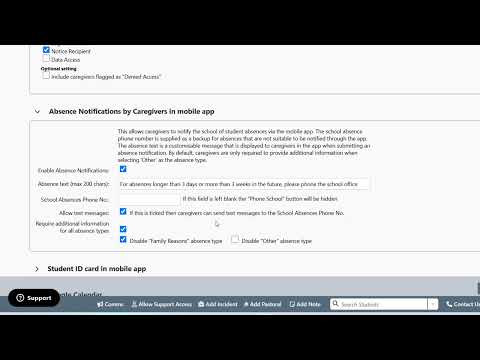
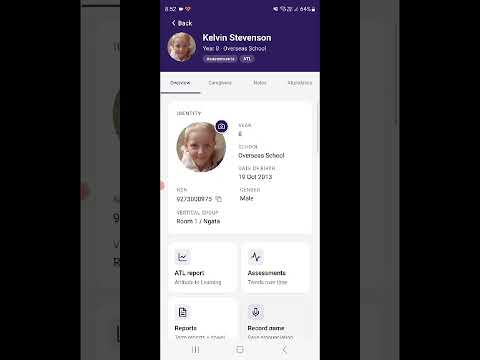
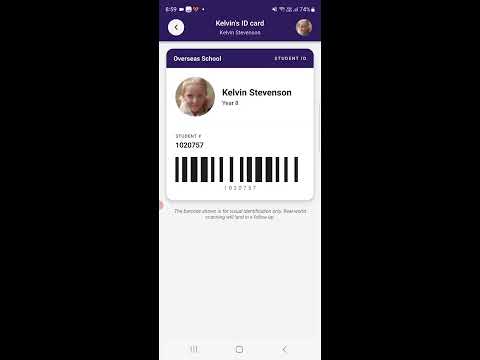
See what Edge Mobile could bring to your school community.
One app, three audiences. It's already included in your school's Edge subscription, and it takes less time to set up than reading this page.
For staff
The right information, wherever staff are
Access important student information, create records on the fly and share moments as they happen, helping staff make informed decisions, support student safety and keep your school community connected.
- Attendance & roll marking
- Student profiles
- Student timelines
- Pastoral records
- Health & Safety records
- Push notifications
- Announcements
- News Feed
- School links & calendar
- Groups
For whānau
Keep whānau connected and engaged
Give whānau a window into their child's learning and school life, with self-service access that makes it easier to support learning at home and manage everyday school tasks independently, reducing administration for your school.
- Notify an absence
- Payments
- Assessment results
- Caregiver reports
- Push notifications
- Announcements
- News Feed
- School links & calendar
- Student profile
- Attendance
For students
Help students stay organised
Give students one place to stay up to date with what's happening around the school, keep themselves organised and better understand their progress, helping them feel more connected and take greater ownership of their learning.
- Push notifications
- Announcements
- News Feed
- Student Voice posts
- School links & calendar
- My attendance
- My reports
- My profile
Download Edge Mobile in four steps
Download the app
Search "Musac Edge" on the App Store (iOS) or Google Play (Android). Look for the Edge Learning Solutions logo.
Log in with your details
Log in with the email address you provided to your school. Forgotten your details? Tap Reset password on the login screen if you need to reset your password at any time.
Turn on notifications
Say yes when the app asks, so you won't miss announcements, absence reminders or payment notices.
Optional: set up Face ID or fingerprint login
Open Settings in the app, set a PIN, then switch on biometrics for one-tap access every time after that.
 Admin Login